Monitor Your z.ai Quota Effortlessly
The beautiful macOS menu bar app that tracks your API usage, shows history, and keeps you within limits.
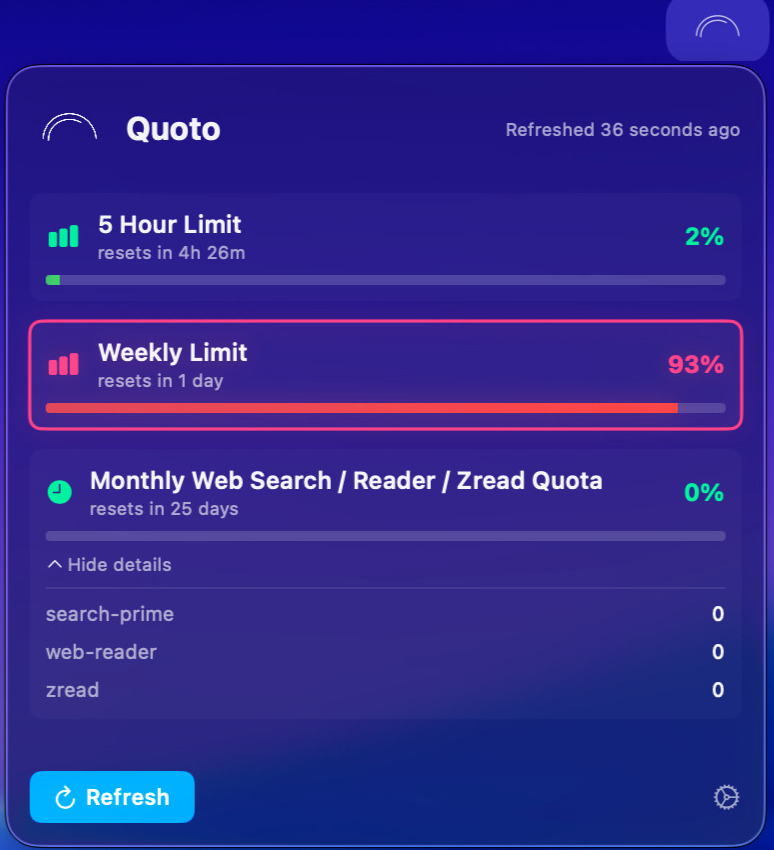
The beautiful macOS menu bar app that tracks your API usage, shows history, and keeps you within limits.
Track all your quota limits at a glance with beautiful color-coded progress bars.
View beautiful line charts showing your usage patterns over 7, 14, or 30 days.
Choose which limits to show, set refresh intervals, and configure your preferences.
Your API key is stored in macOS keychain. No data leaves your device.
Download Quoto for macOS 13.0 or later
You need a z.ai API key. You can get one from the z.ai dashboard. The key is securely stored in macOS keychain.
No! Quoto only connects to z.ai's API to fetch your quota data. Your usage history is stored locally on your Mac. Nothing is sent to third-party servers.
Currently, Quoto supports one API key at a time. If you need to switch accounts, you can update your key in Settings.
You can set auto-refresh intervals (every 1, 5, 15, or 60 minutes) in Settings. You can also manually refresh anytime with one click from the menu bar.